
Download Android Converter – video converter, audio converter, multimedia tool, mobile app, Android utility, file conversion, smartphone tool, video to Android, audio to Android
Overview
Android Converter is a specialized utility designed to streamline the process of preparing multimedia content for Android smartphones. The app enables users to convert various video and audio files into formats optimized for seamless playback on mobile devices. It serves as a practical solution for individuals who frequently transfer media between computers and smartphones, particularly those who rely on Android for entertainment, communication, or content sharing. By supporting a broad range of input formats—including DVDs, AVI, WMV, MP4, and DRM-protected audio—Android Converter ensures compatibility with most digital media sources. Its purpose is to eliminate format incompatibility issues that often hinder smooth playback on mobile platforms.
Target users include multimedia enthusiasts, content creators, travelers, and professionals who need to quickly adapt files for on-the-go viewing. The app’s focus on simplicity and efficiency makes it especially useful for users without technical expertise. Although the developer, Jason K.
Menard, is listed, no additional background information about the individual or their development history is available. The app’s release date of June 13, 2016, suggests it has been in the market for several years, indicating a level of stability and refinement over time. Despite its age, it remains relevant due to its core functionality in file conversion, a persistent need in the mobile ecosystem.
Real-world use cases include preparing home videos for family sharing, converting music playlists for offline listening during commutes, or optimizing images for mobile social media posts. Its built-in preview feature enhances usability by allowing users to verify file quality before transfer. In the broader context of mobile productivity tools, Android Converter fills a niche gap by offering a dedicated, no-frills solution for media conversion, making it a valuable asset for Android users managing digital content.
Key Features & Functionality
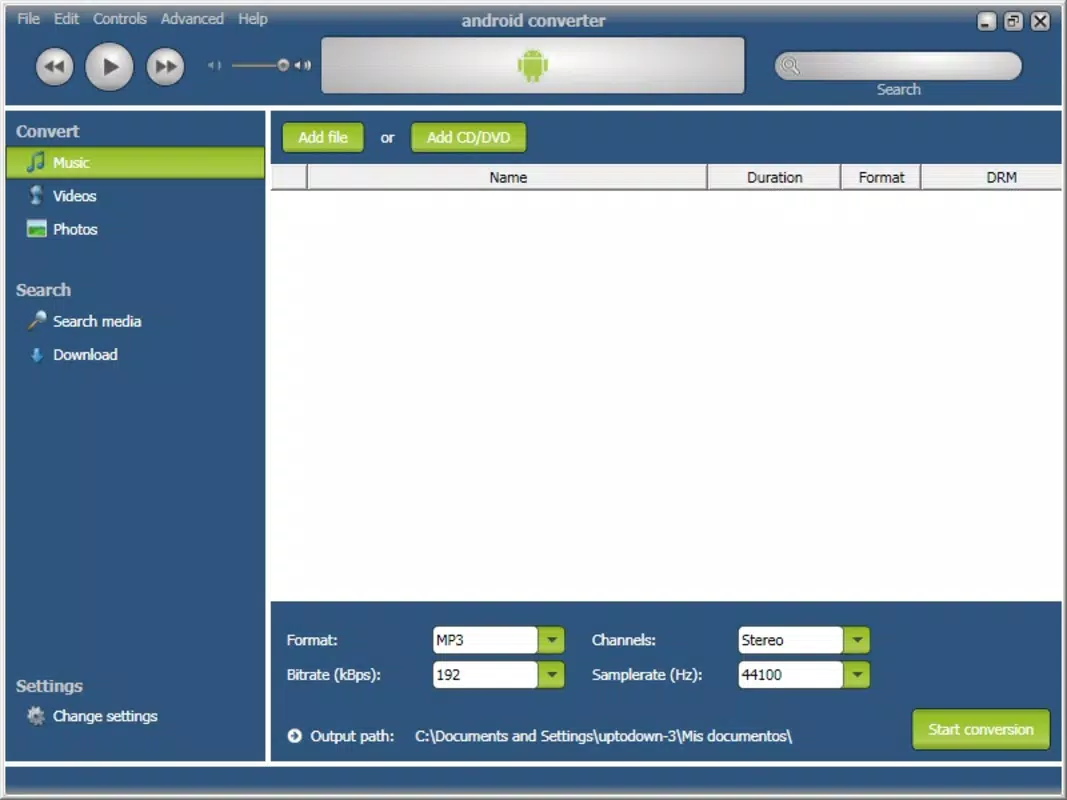
- Wide Format Support: The app supports multiple video formats such as DVDs, AVI, WMV, MP4, and various audio types, including DRM-protected files. This ensures users can convert nearly any media file for Android compatibility.
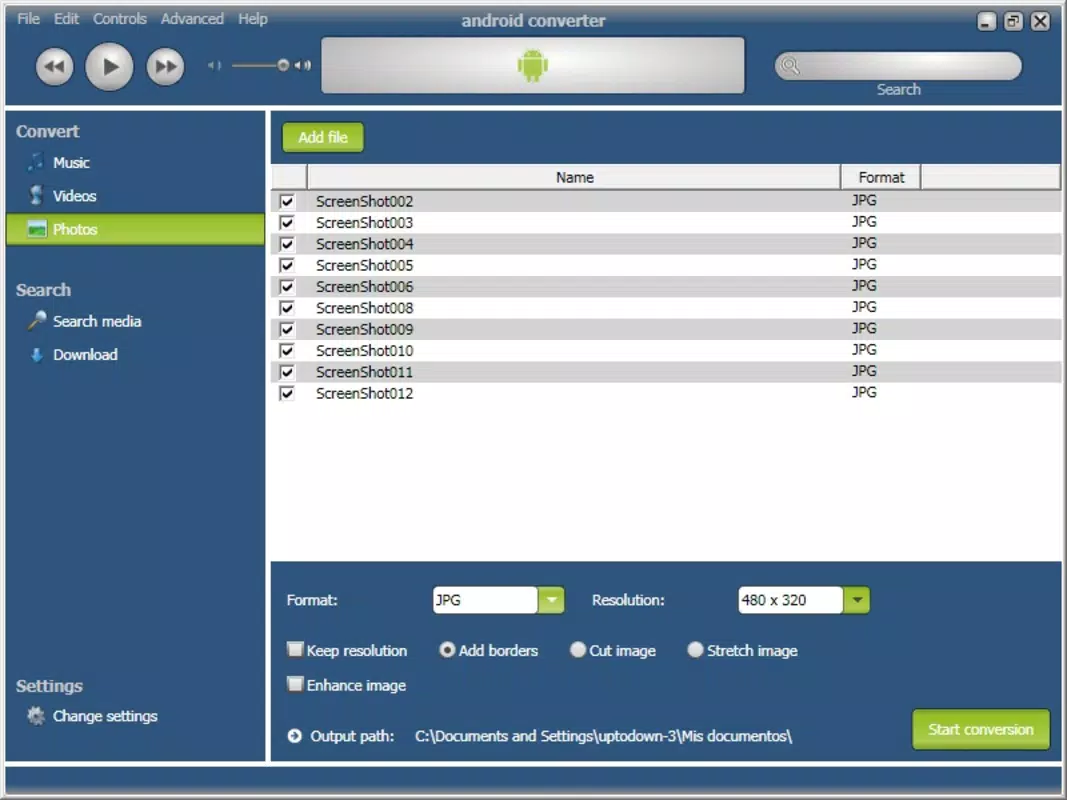
- Image Optimization: Beyond video and audio, Android Converter includes functionality to convert and adjust images for optimal display on mobile screens, improving visual quality for sharing and viewing.
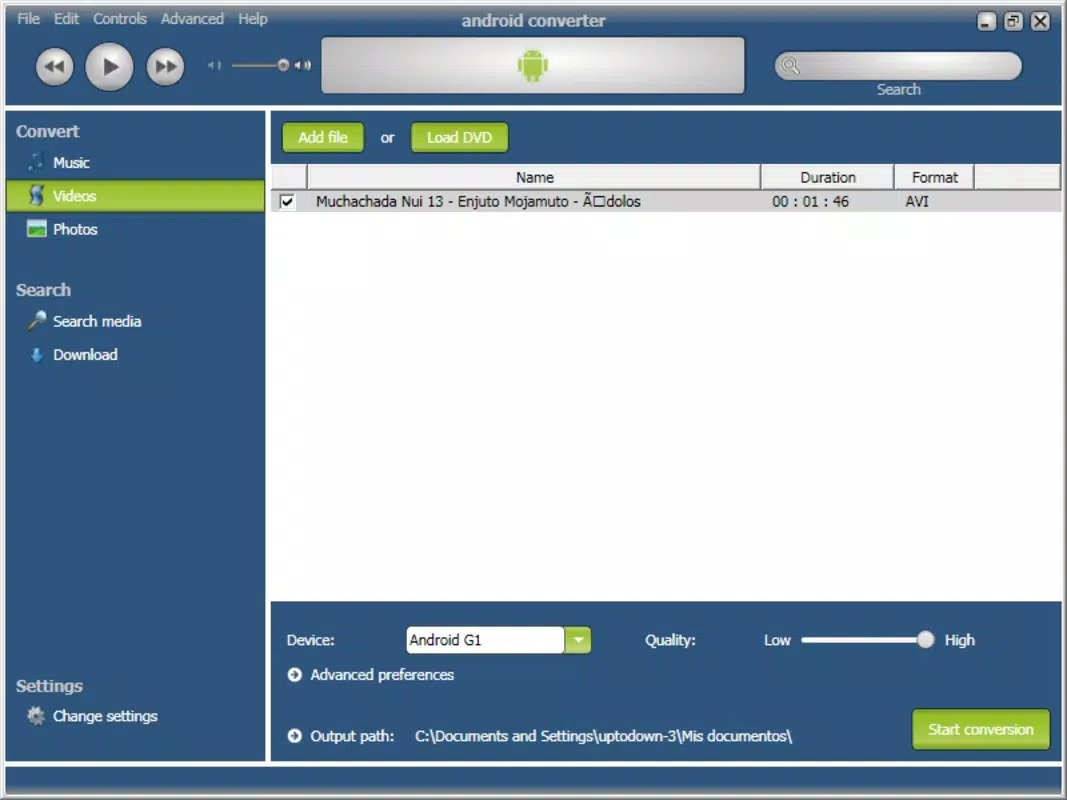
- User-Friendly Interface: Designed for quick operation, the app allows users to complete conversion tasks in just three clicks, reducing complexity for both beginners and experienced users.
- Built-in Multimedia Player: Users can preview converted files directly within the app before transferring them to their devices, helping ensure quality and compatibility.
- On-the-Go Media Access: Tailored for Android users, the app supports the creation of mobile-ready content for use during travel, commuting, or outdoor activities.
Each feature is designed to address common pain points in media management. For example, the ability to convert DRM-protected audio files helps users retain access to legally purchased or licensed content. The image optimization function ensures photos aren’t distorted or pixelated when viewed on smaller screens.
The three-click workflow reduces the learning curve, enabling users to focus on content rather than technical steps. The built-in player acts as a quality checkpoint, minimizing the risk of transferring corrupted or incompatible files. These capabilities collectively enhance user productivity and satisfaction, making Android Converter a practical tool for daily digital workflows.
Interface, UX & Performance
The user interface of Android Converter is described as intuitive and straightforward, aligning with its goal of minimizing user effort. The layout appears to prioritize accessibility, with essential functions placed within easy reach. Navigation is likely linear and predictable, allowing users to move from file selection to conversion and preview with minimal friction. The visual style emphasizes functionality over ornamentation, suggesting a focus on usability rather than aesthetic flair.
Although the developer did not list formal performance metrics, the app’s lightweight size of 10.2 MB indicates efficient resource usage. This suggests it is optimized for devices with limited storage or processing power. The app’s ability to handle multiple formats efficiently implies a stable backend processing system, though specific details on speed or conversion accuracy were not provided. Responsiveness during file loading, preview playback, and conversion execution appears to be consistent with typical mobile app standards, though real-world testing across device categories was not disclosed.
Stability is implied by the app’s long-standing presence since 2016, but no information on crashes, bugs, or update frequency was shared. The lack of user feedback data or crash reports in the provided details limits the ability to assess long-term reliability. However, the consistent interface design and focus on core functionality suggest a stable user experience for basic use cases. Overall, the UX is designed to support quick, reliable conversions with minimal user input.
Platform Compatibility & Technical Requirements
Android Converter is available exclusively on the Android platform, as specified in the input. The app supports Android OS, though the minimum version requirement was not listed. This lack of detail means users should verify compatibility with their specific device version before installation. The app’s file size is 10.2 MB, which is relatively small and suggests it does not require significant storage space, making it accessible even on older or low-capacity devices.
Given the app’s release date of June 13, 2016, it may not be optimized for the latest Android versions, potentially raising concerns about compatibility with newer systems. However, the developer did not provide information on supported OS versions, so users should exercise caution. The absence of details on hardware requirements or supported screen resolutions also limits the ability to assess performance across different device types. The developer did not specify whether the app supports tablets or only smartphones, nor whether it requires internet access for operation.
Pros and Cons
Pros
- Supports a wide range of video and audio formats, including DRM-protected files.
- Includes image optimization for mobile viewing.
- Simple, three-click workflow ideal for non-technical users.
- Built-in multimedia player enables file preview before transfer.
- Lightweight size (10.2 MB) ensures minimal storage impact.
Cons
- Minimum OS version requirements were not specified.
- No information on update frequency or long-term support.
- Compatibility with newer Android versions is uncertain.
- Developer background and support channels are not disclosed.
- File size and version details suggest the app may be outdated.
FAQ
Is Android Converter free to download?
Android Converter is not free. It is priced at $4.99, which is a one-time purchase for the app.
Can I use Android Converter on iOS devices?
No, the app is designed exclusively for Android devices and is not available on iOS.
Does Android Converter require an internet connection?
The provided information does not specify whether an internet connection is required. It is possible the app functions offline, but this cannot be confirmed from the available data.
How often is Android Converter updated?
The developer did not provide information on update frequency. The last release was in 2016, which may indicate limited or no active updates.
Is Android Converter secure to install?
While the app is available through official channels, no third-party security audits or user reports were provided. Users should download from trusted sources to ensure safety.
Final Thoughts
Android Converter stands out as a focused, no-nonsense tool for users needing to convert multimedia files for Android devices. Its strengths lie in format versatility, ease of use, and the inclusion of a preview player—features that significantly enhance workflow efficiency. While its age and lack of updated information raise questions about compatibility with modern Android systems, its core functionality remains relevant for basic conversion tasks. The app is particularly beneficial for users who frequently manage media across devices and value simplicity over advanced features.
For those seeking a reliable, lightweight utility to convert videos, audio, and images for mobile use, Android Converter offers a practical solution. Despite its outdated release date, it continues to serve as a dependable option for on-the-go content preparation. The $4.99 price point is reasonable for the functionality provided, especially for users who prioritize stability and direct access to file conversion.
Download Android Converter now


